
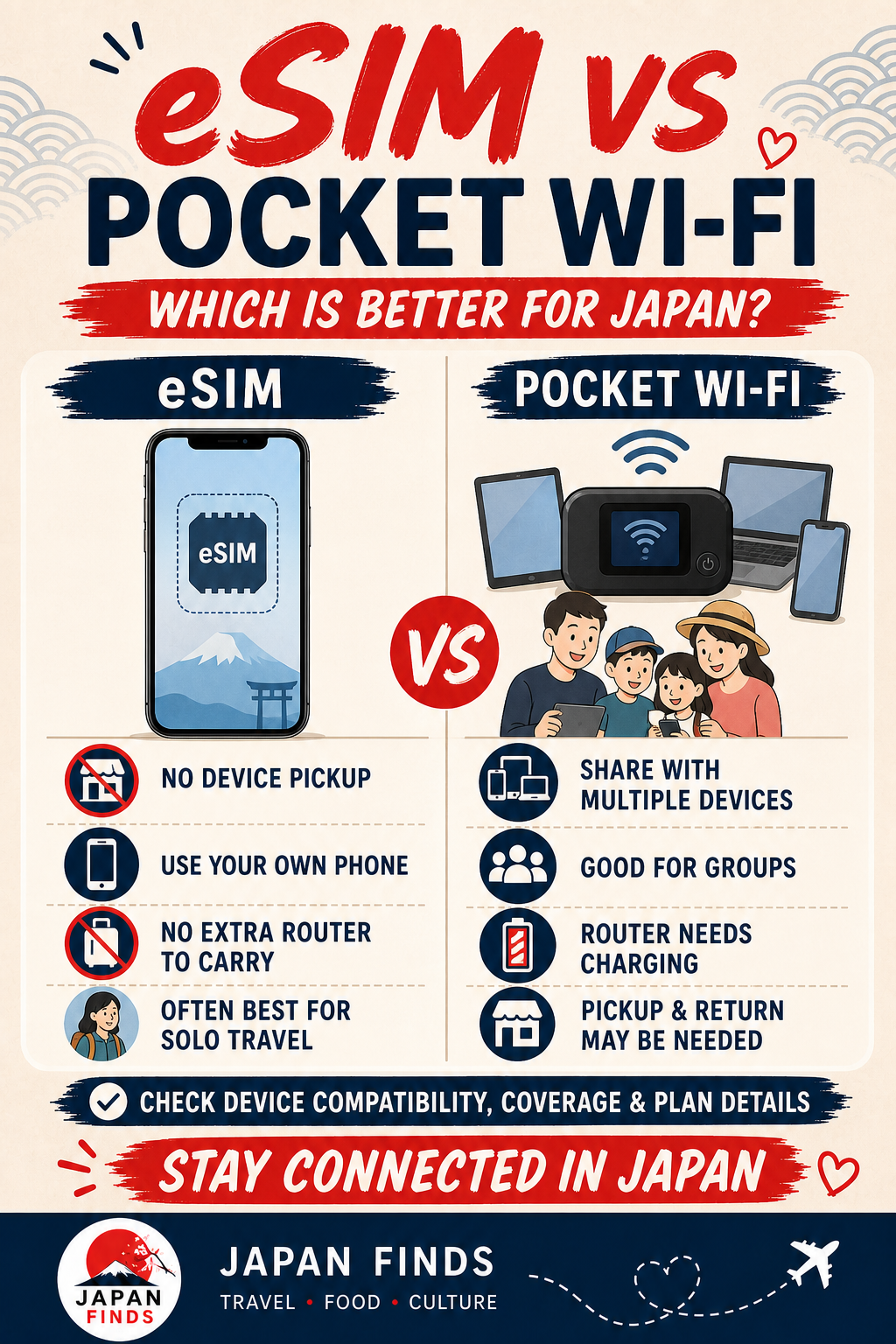
For most solo travelers with an unlocked compatible phone, an eSIM is the simplest choice. A physical SIM remains useful for unlocked phones without eSIM support, while pocket WiFi is often the easier fit for families, groups and travelers connecting several devices. The right answer depends on your phone, group size and tolerance for carrying another device—not on one universal winner.
The quick answer for most travelers
Choose an eSIM when your phone supports it, is unlocked and you want to connect without collecting equipment. Choose a physical SIM when the phone has an unlocked nano-SIM slot but cannot use the provider’s eSIM. Choose pocket WiFi when several people or devices need one shared connection, or when changing phone settings would be difficult. International roaming is the low-effort fallback, but compare its full-trip cost and data limits before assuming it is the easiest deal.
When an eSIM is the best fit
An eSIM is downloaded to a compatible phone, so there is no card to collect, swap or lose. It is particularly convenient for solo travelers who depend on maps, messaging, translation and booking apps. Compatibility is the non-negotiable step: confirm the exact phone model, where it was purchased, whether it is carrier-unlocked and whether the selected plan supports that device. Install the eSIM on reliable WiFi before departure when the provider permits it, but read carefully when the plan’s validity actually starts.
When a physical SIM makes more sense
A prepaid physical SIM can be the practical choice for an unlocked phone with a nano-SIM tray but no usable eSIM support. It may also suit travelers who prefer a card they can move between compatible devices. The trade-offs are delivery or pickup, opening the SIM tray, storing the home SIM safely and checking the required APN settings. Many travel products are data-only, so confirm voice calls, SMS, tethering and top-ups instead of assuming they are included.
When pocket WiFi is worth carrying
Pocket WiFi creates a private WiFi connection for phones, tablets and laptops. It can be convenient for a family or group that stays together, and it works with devices that can use WiFi even when they cannot accept a Japanese travel SIM. Everyone depends on the same router, however. Someone must keep it charged and nearby, and a rental may require pickup, return and care of the equipment. Check simultaneous-device limits, battery expectations, fair-use rules and late or loss fees.
Do not choose by “unlimited” alone
Plan names do not tell the whole story. Read the fair-use policy, any high-speed allowance, speed after heavy use, hotspot rules and what happens when the data runs out. Maps and messaging use relatively little data; video, cloud photo backup, laptop work and tethering can use much more. A realistic allowance with clear top-up terms is often more useful than an unclear unlimited label.
Check your phone before paying
First confirm that the device is carrier-unlocked. On an iPhone, Apple says “No SIM restrictions” should appear beside Carrier Lock or Network Provider Lock in Settings > General > About. Android steps vary by manufacturer and carrier, and eSIM support can differ by model and purchase region. Check the manufacturer and provider compatibility lists using the exact model number. Also confirm whether you need to keep your home line active for SMS authentication and how to prevent roaming data charges.
Prepare activation before the flight
Save the installation email, QR code or manual activation details somewhere available offline. Do not try to scan a QR code displayed only on the same phone unless the provider offers another installation method. Record which line should handle mobile data, disable data roaming on the home line unless your carrier explicitly requires it, and download offline maps. After landing, enable the travel line, follow the provider’s roaming and APN instructions, then test a webpage and a map before leaving the airport.
Side-by-side
Compare the four main options
| Option | Best for | Main advantage | Main trade-off |
|---|---|---|---|
| eSIM | Solo travelers with compatible unlocked phones | No physical pickup or card swap | Model, carrier and purchase-region compatibility must be checked |
| Physical SIM | Unlocked phones with a nano-SIM tray | Works when eSIM is unavailable | Requires pickup or delivery and safe storage of the home SIM |
| Pocket WiFi | Groups and travelers with several devices | One connection can serve multiple WiFi devices | Another device to charge, carry and possibly return |
| International roaming | Short trips where simplicity matters most | Keep the existing SIM and number | Price, high-speed allowance and roaming conditions vary widely |
Choose in less than a minute
Check the phone
If it is unlocked and supports the selected eSIM, start with eSIM. If it is unlocked with only a nano-SIM slot, compare physical SIM plans.
Count users and devices
One phone usually favors eSIM or SIM. Several people, tablets or laptops can make pocket WiFi more convenient—if the group stays together.
Check what “data” includes
Confirm high-speed data, fair-use limits, tethering, top-ups, voice, SMS and the exact moment the validity period begins.
Plan the first connection
Know whether you will install before departure, collect at the airport or activate after landing. Keep the instructions available offline.
Match the plan to how you travel
Maps, train searches, messaging, translation and occasional browsing. Prioritize reliable access and simple top-ups over a very large allowance.
Frequent social posts, restaurant research, cloud documents and some video. Check the high-speed allowance and whether hotspot use is permitted.
Video calls, streaming, laptop work, large uploads or several shared devices. Read the fair-use policy closely and consider a larger plan or pocket WiFi.
Reduce surprise usage by pausing automatic photo backup, app updates and high-quality video over mobile data.
Before-you-fly setup checklist
- Confirm the exact phone model is unlocked and supported by the selected provider.
- Check whether the plan is data-only or includes a phone number, voice calls or SMS.
- Read when the validity period starts: purchase, installation, activation or first network connection.
- Confirm the network, coverage, high-speed allowance, fair-use policy and top-up options.
- Check whether tethering is permitted if another device will use the connection.
- Save QR codes, manual activation details, APN instructions and support contacts offline.
- Decide how the home SIM will receive important messages without using expensive roaming data.
- Download offline maps and your accommodation address before departure.
If you land without a connection
- Connect to airport WiFi.Keep the provider’s instructions open while changing settings.
- Confirm the travel line is enabled.Make it the mobile-data line and check the provider’s data-roaming instruction.
- Review the APN and network selection.Use only the values supplied by the provider; do not copy settings from an unrelated blog.
- Toggle airplane mode, then restart.A fresh network registration can resolve a stalled first connection.
- Contact the provider before deleting an eSIM.Some profiles cannot simply be downloaded again after deletion.
Before you buy
Compare the terms, not just the headline price
Review device compatibility, network coverage, activation timing, high-speed data, fair-use limits, tethering, voice and SMS, top-ups, cancellation or refund rules, support hours, and any pickup or return requirement.
Already choosing an eSIM? Follow the installation and arrival-day setup guide →
eSIM option
Check Nomad’s current Japan eSIM plans
Compare the available data allowances, validity periods, supported networks and activation instructions for your exact trip before purchasing.
View Nomad Japan eSIM plans Affiliate link: Japan Finds may earn a commission at no extra cost to you.Japan connectivity option
Compare Sakura Mobile eSIM, SIM and pocket WiFi
Review current products, data allowances, pickup or delivery requirements, support and any pocket WiFi return conditions.
View Sakura Mobile options Affiliate link: Japan Finds may earn a commission at no extra cost to you.Our comparison criteria and editorial conclusions remain independent of affiliate relationships.
Official information to check
Information reviewed September 24, 2026. Device support, plan terms, networks and rental procedures can change.
- Japan National Tourism Organization: WiFi and connectivity
- Apple Support: check whether an iPhone is carrier-unlocked
- Google Pixel Help: SIM and eSIM support
- Nomad: current Japan eSIM plans and plan details
- Sakura Mobile Support: SIM, eSIM and pocket WiFi comparison
- Sakura Mobile Support: pocket WiFi return procedures
Opening hours, prices, reservation rules and transport details can change. Confirm important details with the official operator before your visit.