
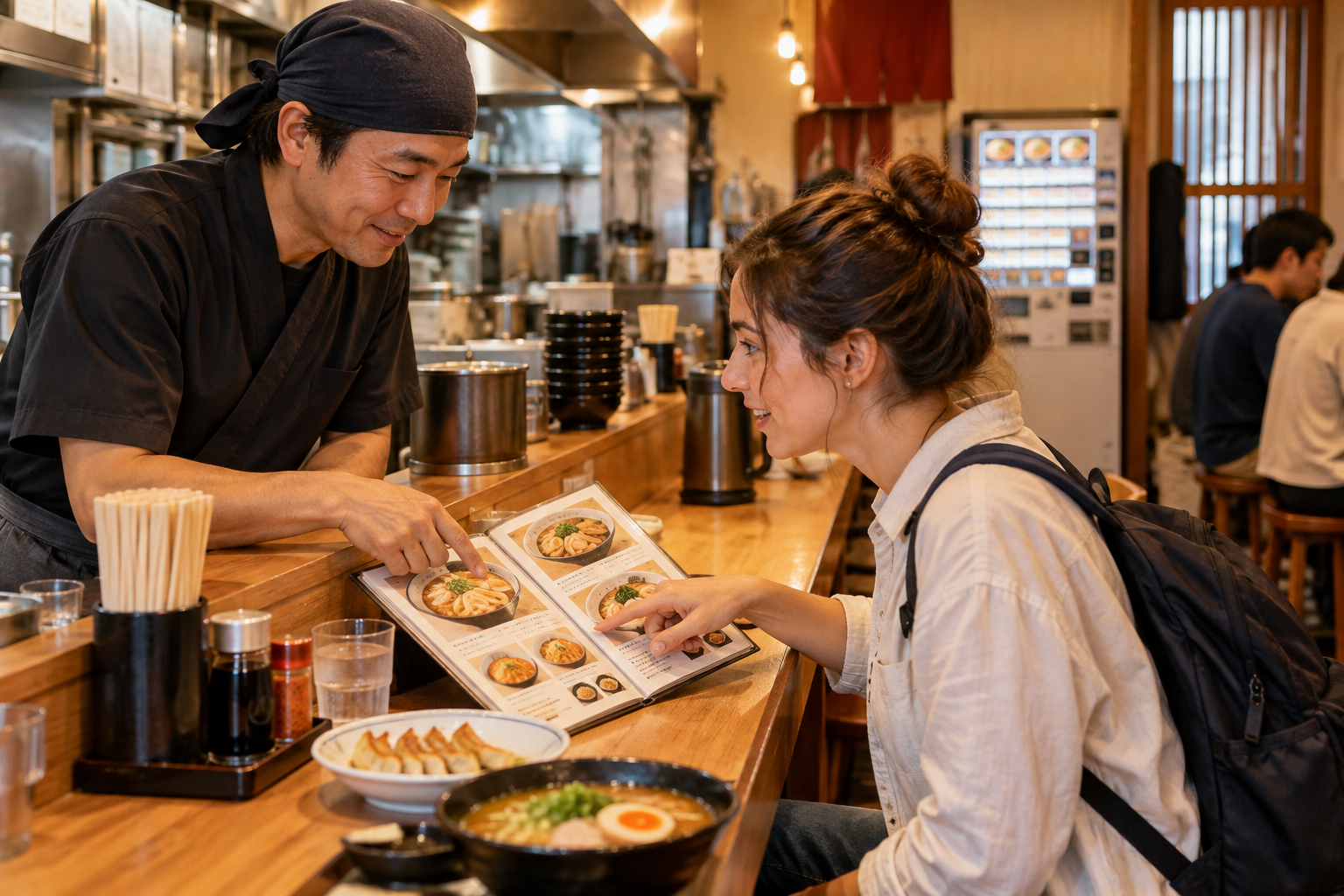
Ordering food in Japan is easier once you identify the system before choosing a dish. One restaurant may use table service, the next a meal-ticket machine, and another a tablet, QR page or counter. This guide gives you a repeatable door-to-checkout routine, the phrases that solve the most common problems and a safer way to communicate dietary restrictions. Exact payment methods, charges and ordering steps vary, so follow the signs and staff at each restaurant.
Read the entrance before joining the line
First check whether guests queue directly, write their name, take a numbered ticket or register on a touchscreen. Popular restaurants may call numbers rather than names. Do not walk past a waiting line or sit at an open table until the system is clear. If you leave after registering, know how your turn will be called and return early enough not to miss it.
Tell staff your party size and wait for a seat
At the entrance, staff may ask how many people are dining. Hitori means one person and futari means two; showing the number with your fingers also works. Mention children, a stroller, large luggage or accessibility needs before seating. Many restaurants assign tables even when seats appear open, so follow staff unless a sign clearly says to choose any seat.
Find out how this restaurant takes orders
Table service is only one possibility. Look for a meal-ticket vending machine near the door, a touchscreen tablet, a call button, a QR code, a counter or a conveyor-belt ordering screen. On a machine or tablet, change the language if available and review the entire cart before confirming. With a server, pointing at the item name, number or photo is polite and effective.
Confirm size, quantity and set choices
A picture can hide important choices: small or large rice, one or two portions, hot or cold noodles, sauce, noodle firmness, side dish, drink or a set upgrade. State the quantity and point to each selection before submitting. At an izakaya, shared dishes are normally ordered gradually, which helps avoid over-ordering and keeps the table from becoming crowded.
Use the meal-ticket machine without rushing
At a ticket-machine restaurant, choose the item and options, pay, collect the ticket and any change, then follow the shop’s handoff routine. Some machines send the order electronically, while others require you to give the ticket to staff. Payment support differs by machine, and cash-only systems remain possible. Decide your dish before reaching the front when other guests are waiting.
Ask about ingredients instead of trusting the photo
For allergies, vegetarian, vegan, halal or other restrictions, identify the exact ingredients you cannot eat. Dashi may contain fish, sauces may contain wheat or animal products, and the same cooking surface may be shared. JNTO advises communicating dietary needs clearly and in advance when possible. For a serious allergy, carry a written Japanese allergy card and choose another restaurant if safe preparation cannot be confirmed.
Check the bill, payment place and final total
Restaurants may take payment at the table, counter or register. A meal ticket or counter order is often paid first; table service is often paid after eating, but there is no single rule. Some izakaya have a table charge connected with a small appetizer. Ask when a charge is unclear, check which payment methods are accepted and keep cash as a backup. Tipping is not customary in Japan.
The 30-second routine
Look for the ordering system before you sit down
Queue, write your name or take a number if the restaurant uses a waiting system.
It may be a server, ticket machine, tablet, QR page, counter or conveyor-belt screen.
Match the name, photo, price, size and quantity before submitting.
Pay first only when instructed; otherwise bring the bill or table number to the register.
Order-system decoder
Six common ways to order food in Japan
| System | What to do | What to check |
|---|---|---|
| Server at the table | Say sumimasen when ready, then point and state the quantity. | Set choices, drink orders and whether dishes are shared. |
| Ticket machine | Select the item, pay, collect the meal ticket and follow the shop’s handoff instructions. | Cash/card support, size and add-ons before pressing the final button. |
| Tablet | Choose the language if available, review the cart and submit from the table. | Quantity, options and whether a final “order” button remains. |
| QR or mobile page | Scan the restaurant’s code, confirm the table and submit in the browser. | Official domain, table number and whether payment is online or at the register. |
| Counter order | Order and usually pay at the counter, then keep the number or receipt. | Pickup point and whether water, cutlery and returns are self-service. |
| Conveyor-belt screen | Order on the screen or take permitted plates from the belt. | Never return a plate; check whether ordered dishes arrive on a separate lane. |
From door to checkout
A seven-step restaurant workflow
- 1Join the correct queue
Do not enter ahead of waiting guests. At a list, kiosk or numbered-ticket system, register first and stay close enough to hear your turn.
- 2State the party size
Use hitori for one, futari for two, or show the number with your fingers. Mention children, a stroller or accessibility needs before seating.
- 3Wait to be seated
Many restaurants assign seats. Follow staff unless signage clearly indicates free seating, then place large bags where they do not block aisles.
- 4Identify the ordering method
Look for a tablet, call button, QR code, ticket machine or counter. If none is obvious, ask chumon wa doko desu ka?
- 5Order by name, number or photo
Pointing is fine. Confirm portion size, quantity and set choices, especially rice size, noodle firmness, sauce or drink selections.
- 6Review the bill before paying
Some izakaya add a table charge or serve a small appetizer connected with it. Ask politely if a charge is unclear.
- 7Pay at the correct place
Watch whether others pay at the table, counter or register. Tipping is not customary; pay the stated total and collect your receipt.
Save these phrases
Simple Japanese for ordering
Excuse me / used to get a server’s attention.
One of this, please.
Do you have an English menu?
What do you recommend?
The bill, please.
Can I use a card?
A translation app, screenshot and polite pointing are valid backups. Keep the full restaurant name and dish photo saved offline when connectivity may be weak.
Dietary restrictions and allergies
- Tell the restaurant before ordering, and preferably before arrival for reservations or set menus.
- Name the exact ingredients you cannot eat. “Vegetarian” may not exclude fish-based dashi, meat stock or shared cooking surfaces.
- Do not rely on a food photo. Sauces, broth, dressings, fish cakes and garnishes can contain allergens or animal products.
- For a serious allergy, carry a Japanese allergy card and ask whether the restaurant can safely accommodate it. If staff cannot confirm, choose another meal.
Seven mistakes that cause confusion
Wait at the entrance unless the restaurant clearly uses free seating.
Ticket machines and tablets can keep earlier selections in the cart.
Check before ordering when cash is limited and keep yen as a backup.
Shared dishes are often added gradually as the meal continues.
Dashi may contain bonito, and apparently simple sauces may contain animal products.
Once a plate is taken, keep it at your seat and let staff count or scan it.
Tipping is not customary. A sincere thank-you is appropriate.
Official sources
Information reviewed October 7, 2026. Ordering systems, payment methods, charges and dietary support vary by restaurant; confirm on site.
Opening hours, prices, reservation rules and transport details can change. Confirm important details with the official operator before your visit.